Overview
BI Automation Interface lets you refresh datasets in bulk and export refresh history across multiple workspaces. Everything is driven by simple JSON configuration files.
Config Files
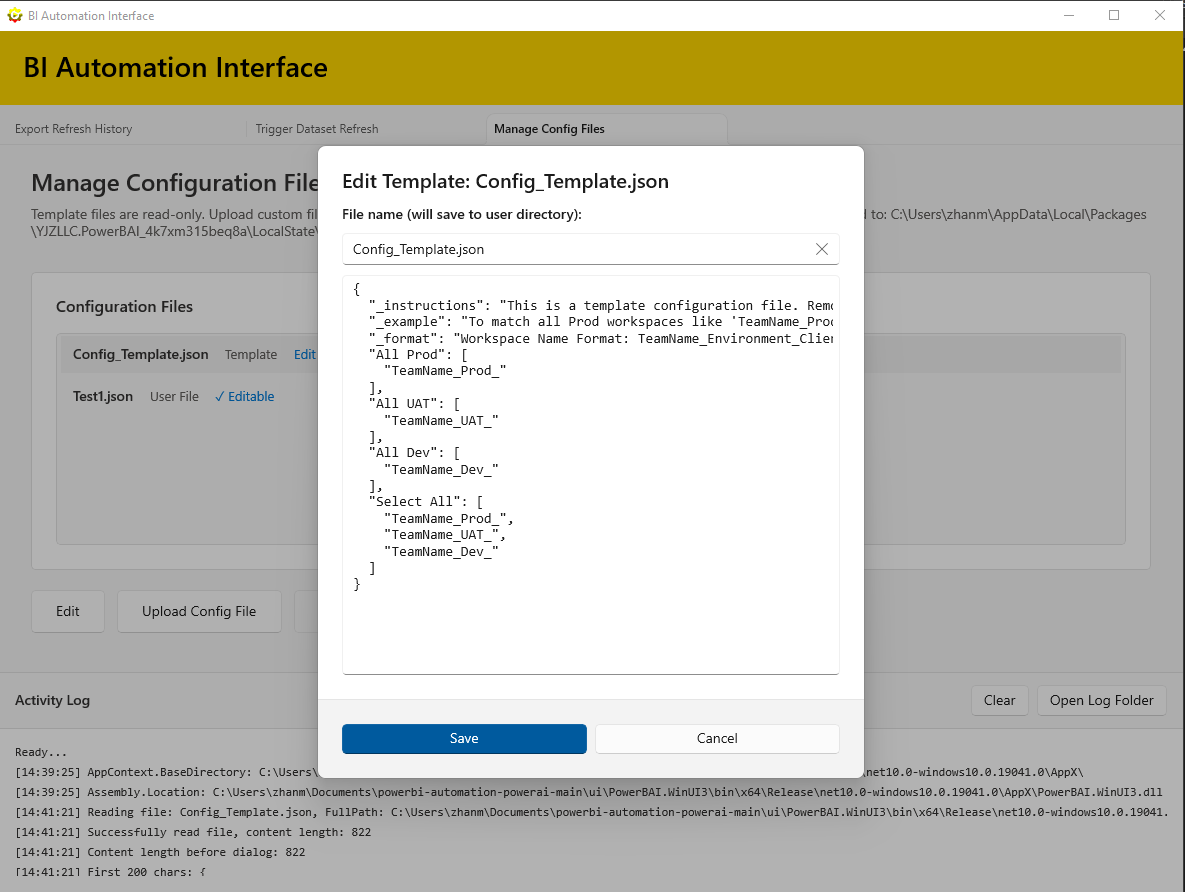
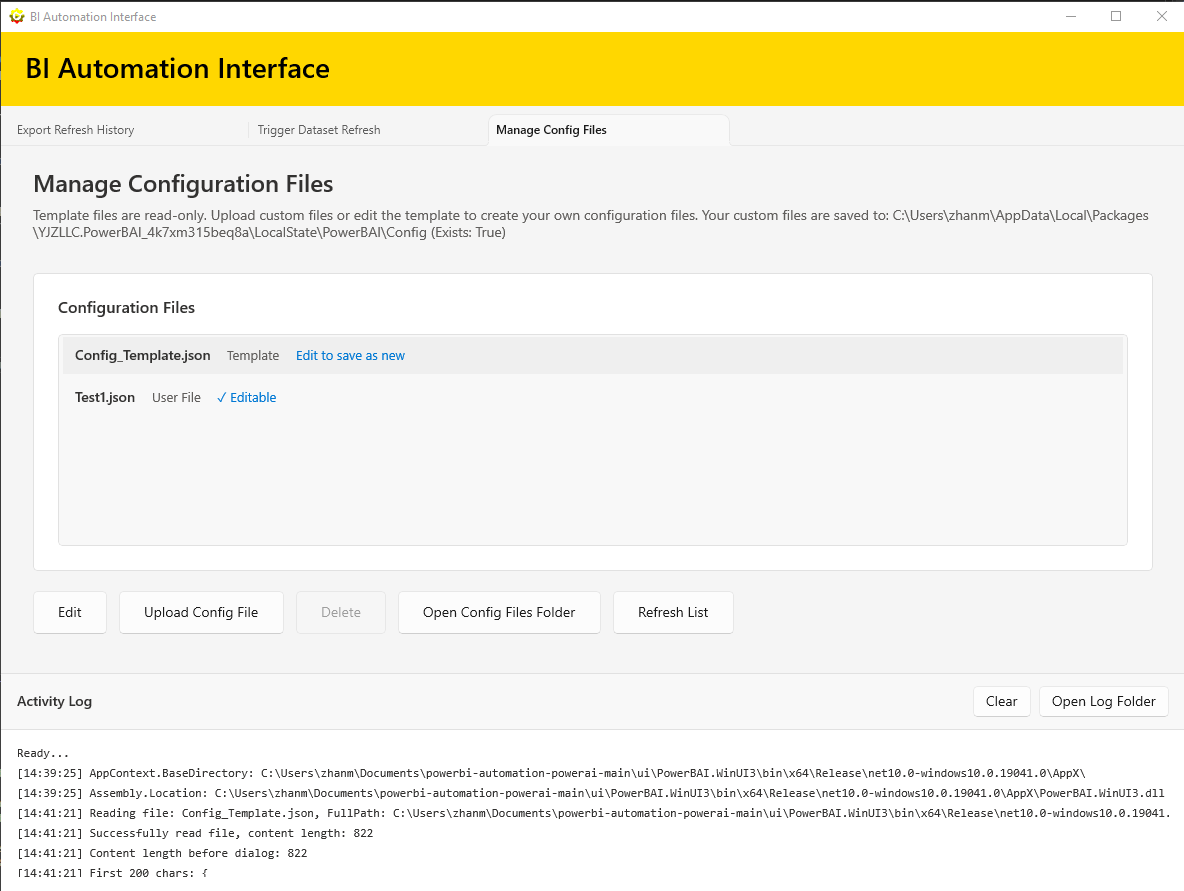
Each configuration file is a JSON object. Keys are preset names, and values are arrays of workspace prefixes.
{
  "_instructions": "Remove instruction keys when creating your own config file.",
  "All Prod": ["TeamName_Prod_"],
  "All UAT": ["TeamName_UAT_"],
  "All Dev": ["TeamName_Dev_"],
  "Select All": ["TeamName_Prod_", "TeamName_UAT_", "TeamName_Dev_"]
}
Prefix Matching
Prefixes match the beginning of workspace names. Matching is case-insensitive.
Preset Selection
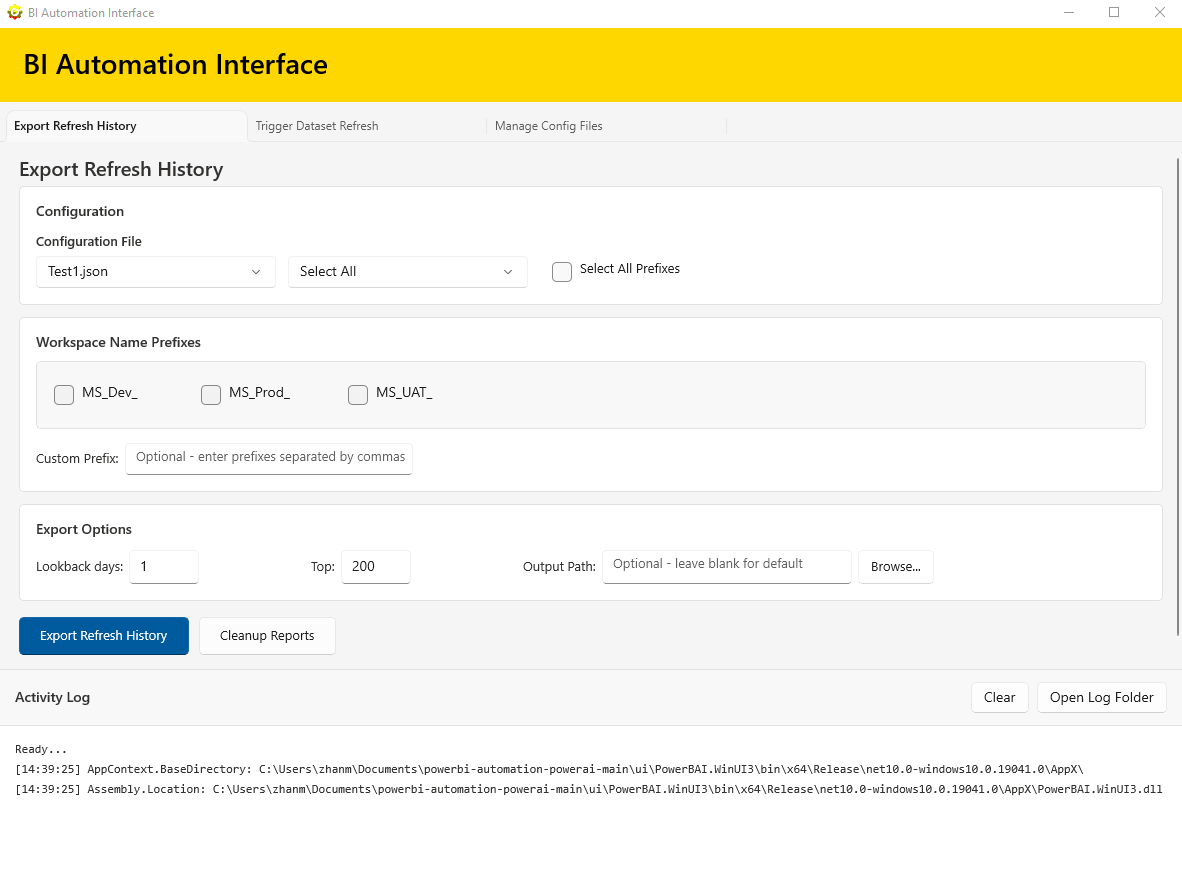
Choose a preset to quickly select a pre-defined set of workspace prefixes. You can also select all prefixes at once.
Custom Prefixes
Add custom prefixes in the text box. Use commas to separate multiple values.
Trigger Refresh
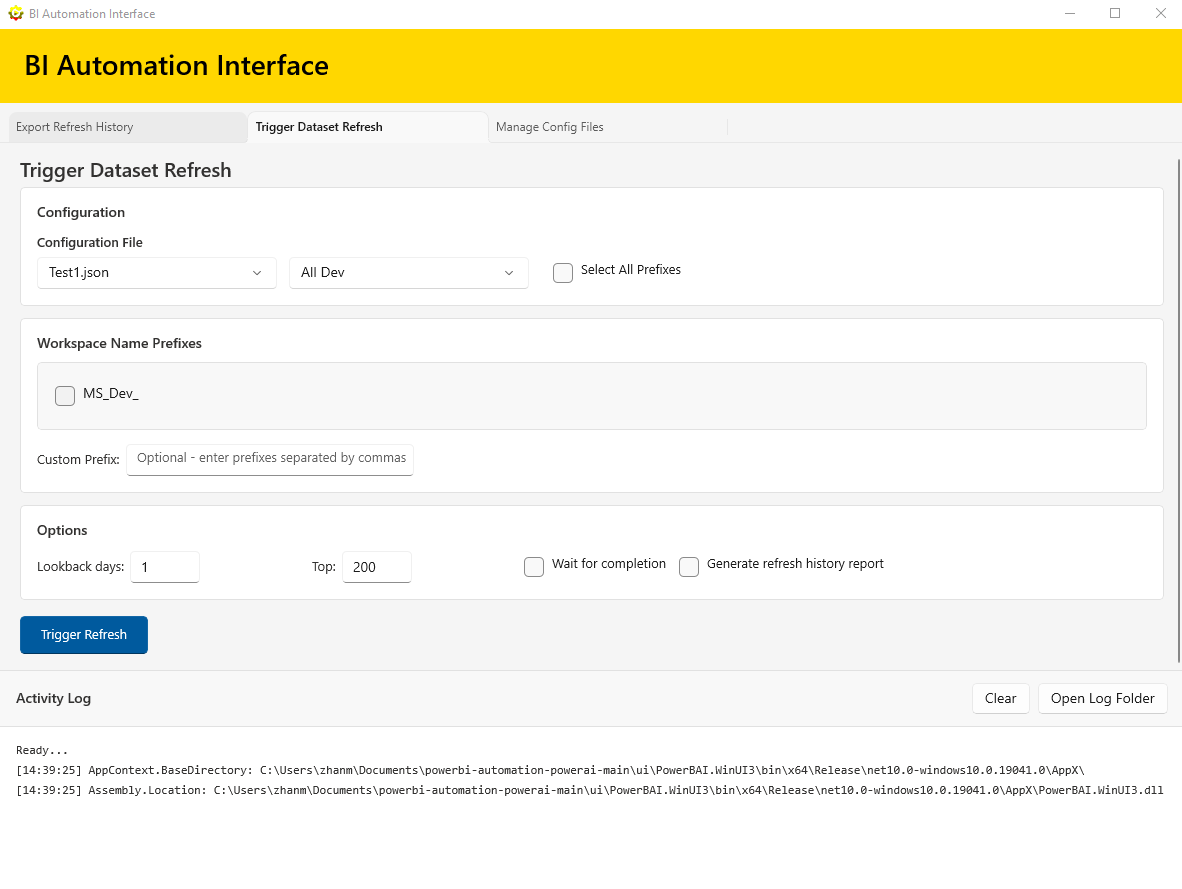
Select a config file, choose a preset, and click Trigger Refresh to run refreshes in bulk.
Export Refresh History
Use lookback days and top filters to control the output size. You can also provide a custom output path.
Cleanup Reports
Cleanup removes user-created refresh report entries only. It does not delete anything from your workspaces or datasets.
Screenshots
Manage Config Files
Edit Template
Config Help
Troubleshooting
Check the Activity Log for errors and warnings. If a config file is deleted, the app falls back to the template.