Streamline Your Power BI Administration
Automate dataset refreshes and manage workspaces with ease. No admin rights required for daily use.
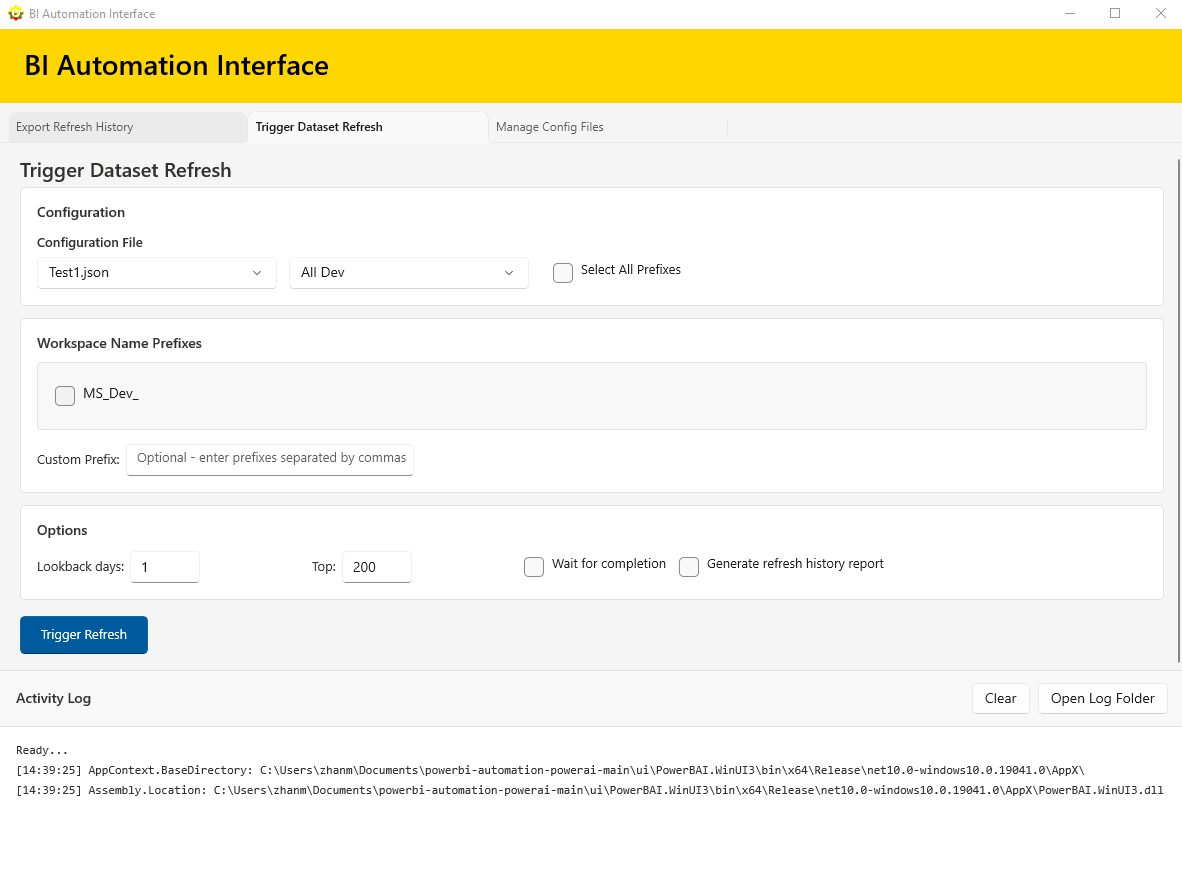
Automate dataset refreshes and manage workspaces with ease. No admin rights required for daily use.
Trigger dataset refreshes across multiple workspaces using workspace name prefixes. Save hours of manual work.
Export comprehensive refresh history reports with customizable lookback periods and filtering options.
Easily manage workspace prefixes with JSON configuration files. Create, edit, and organize your presets.
Clean up user-created refresh reports only. It does not delete anything from your workspaces or datasets.
Run daily operations without administrator privileges. Only initial PowerShell 7 installation may require admin.
Automate repetitive tasks and manage multiple workspaces from a single interface.
Uses your Power BI account credentials. All operations run under your own permissions.
Clean, intuitive interface built with WinUI 3. Easy to use for both beginners and experts.
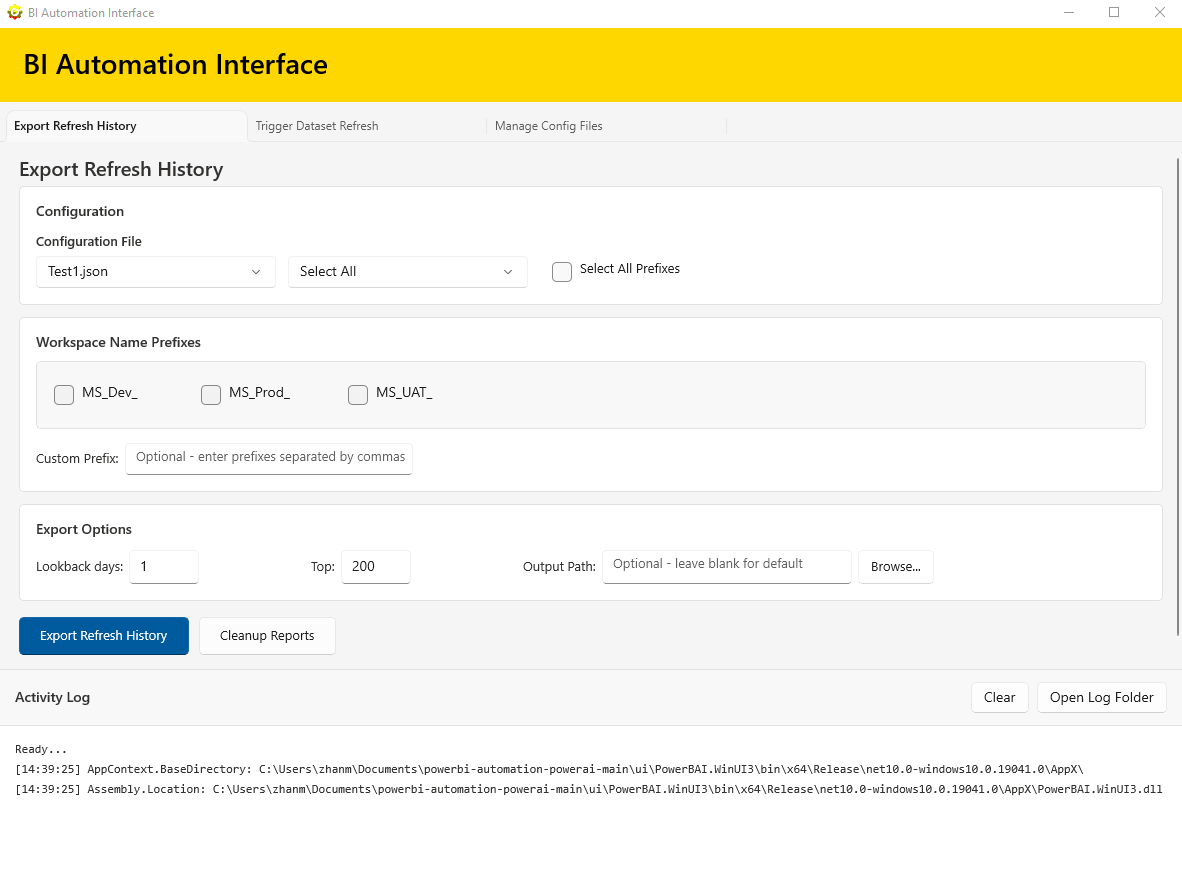
Trigger Refresh
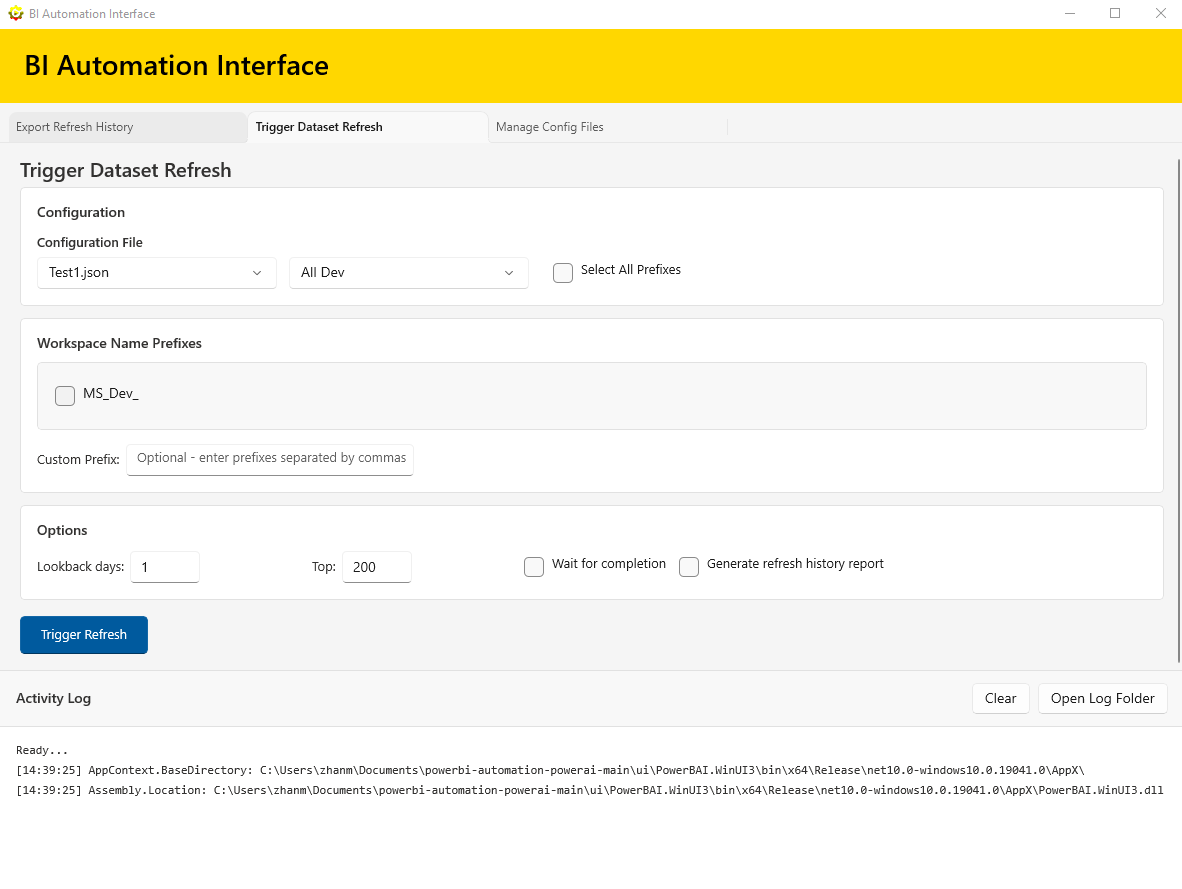
Export Refresh History
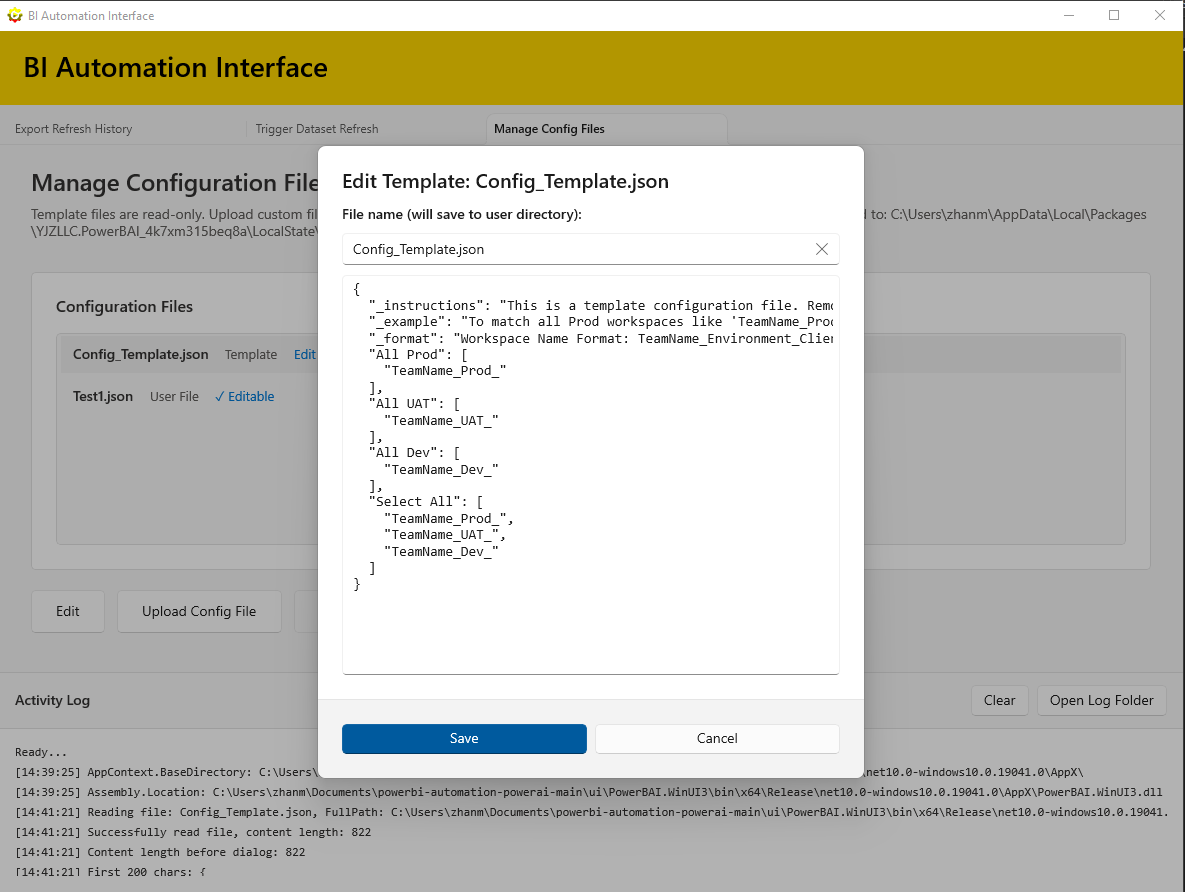
Manage Config Files
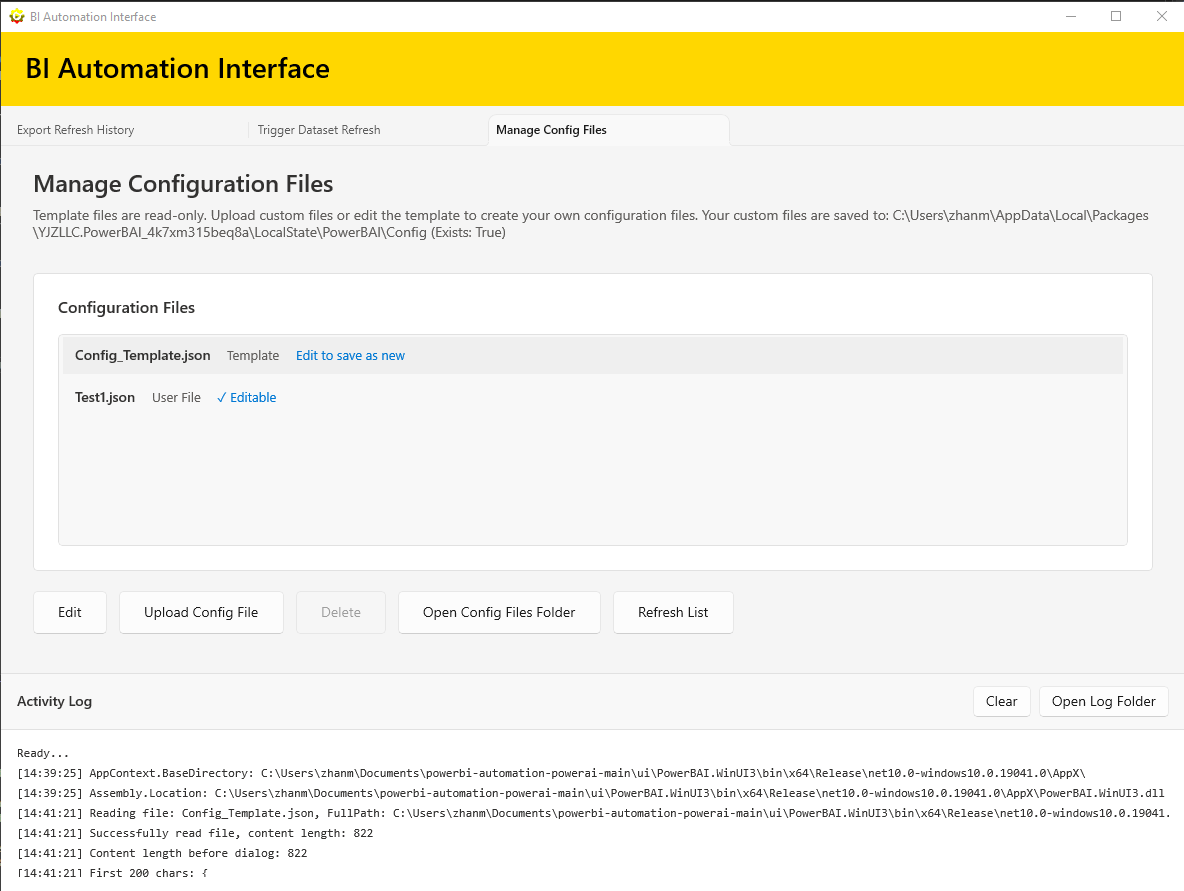
Edit Template
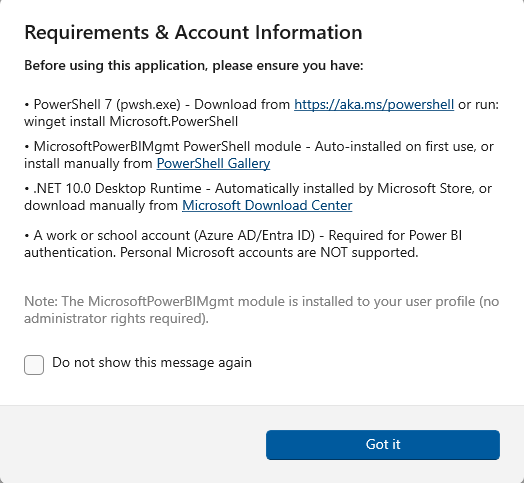
Config Help
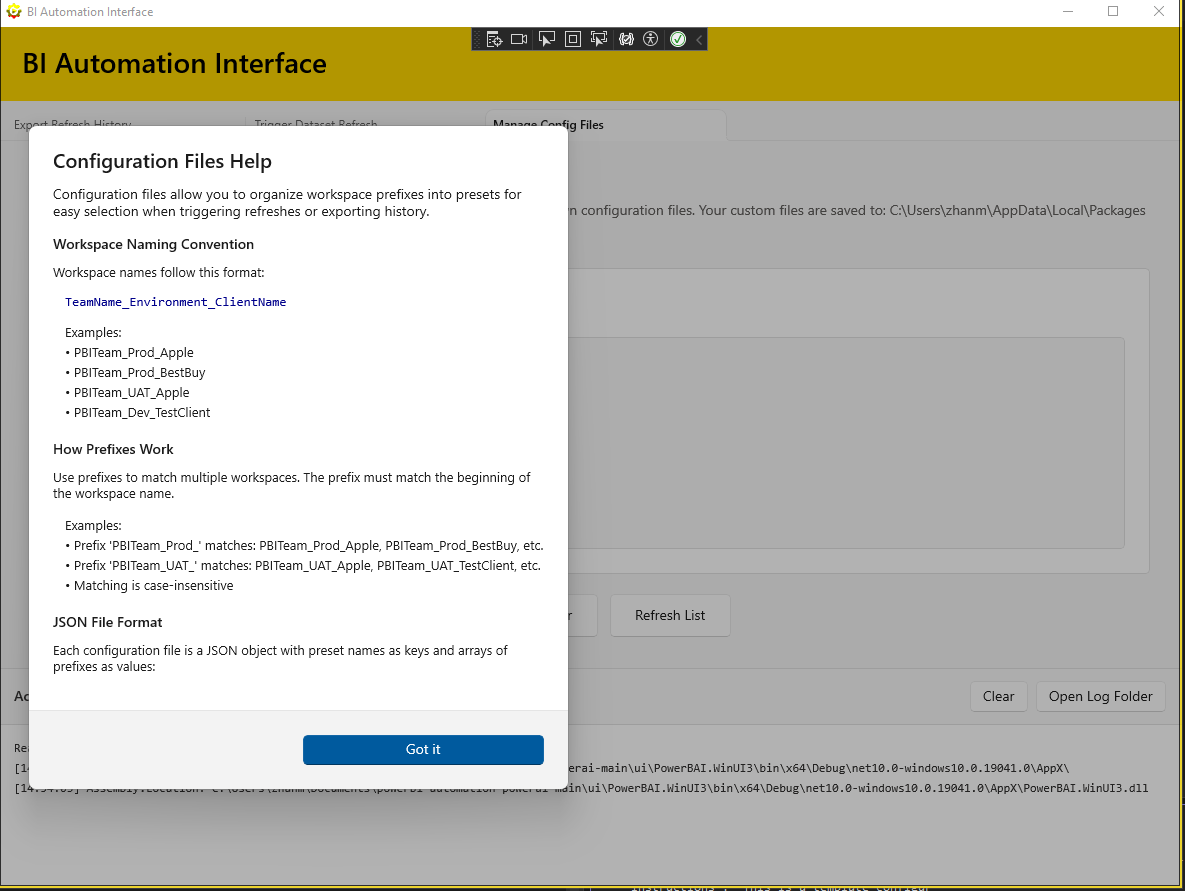
Requirements
Download BI Automation Interface from the Microsoft Store and streamline your Power BI administration today.
Get It Now